The iPad you already own
Keep your Wi-Fi iPad.
A Wi-Fi-only iPad doesn’t have built-in GPS. AviaGPS shares your iPhone’s position with ForeFlight, so a compatible iPad you already enjoy can stay part of your setup.
Built for your iPhone and Wi-Fi iPad
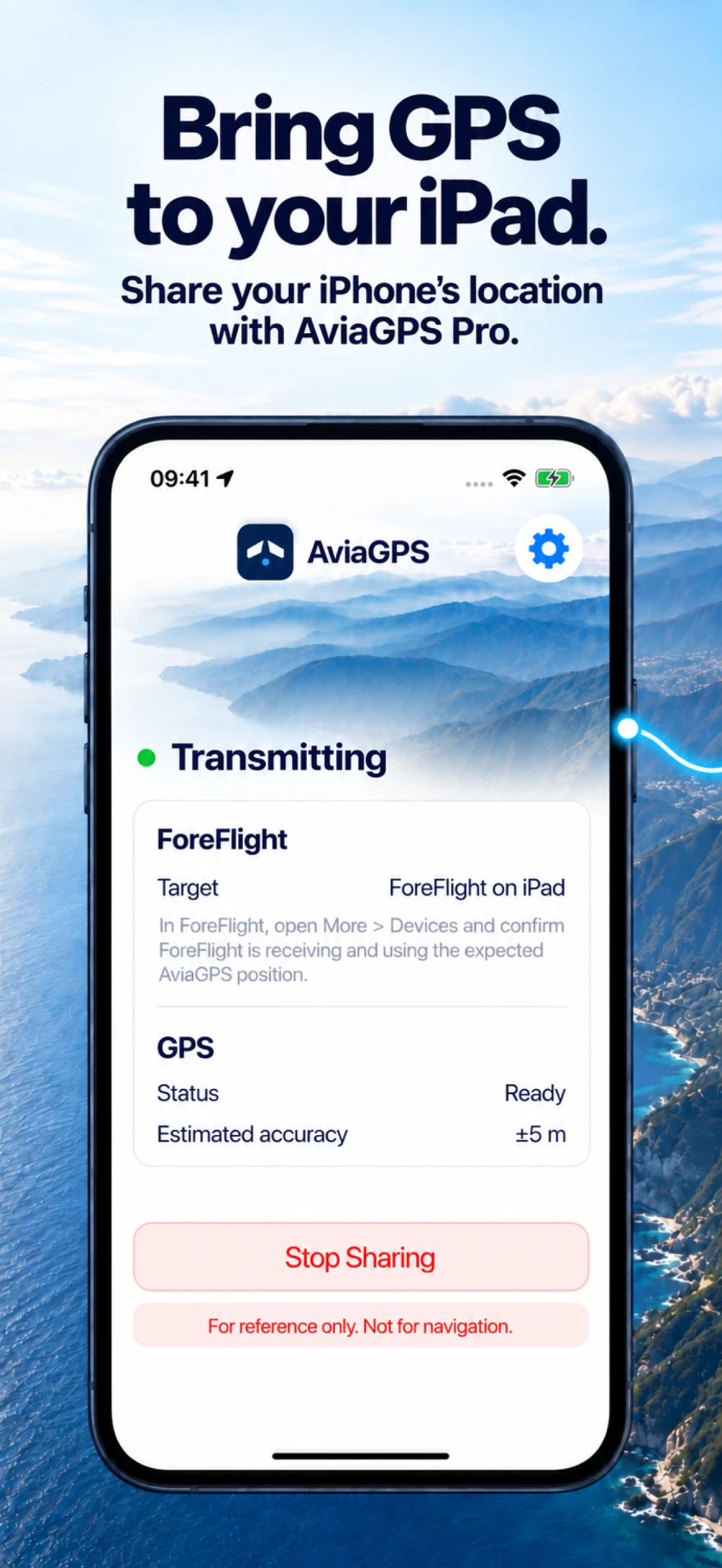
Share your iPhone’s GPS with ForeFlight on your Wi-Fi iPad. No separate GPS receiver to buy, charge, or pack.
AviaGPS Pro required · ForeFlight sold separately
Less hardware. More possibility.
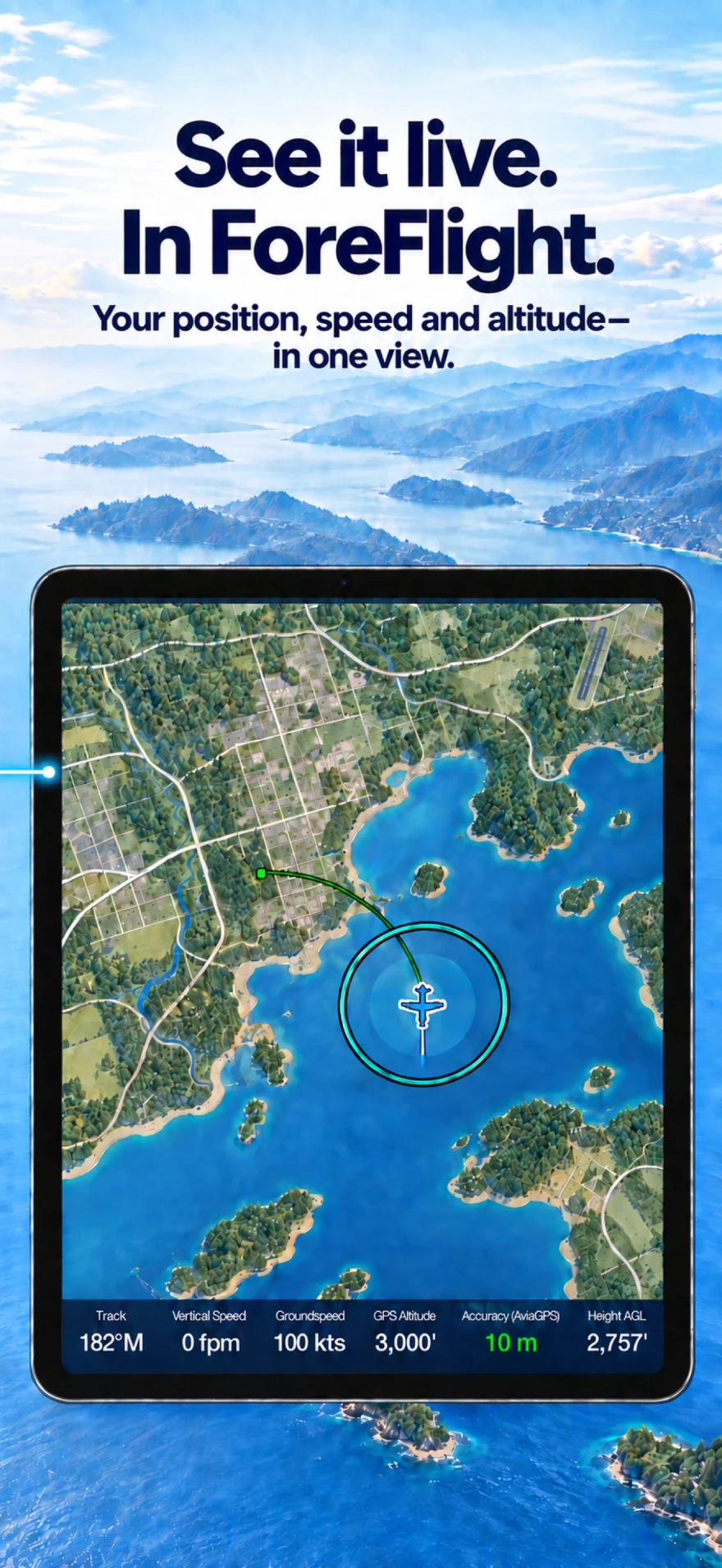
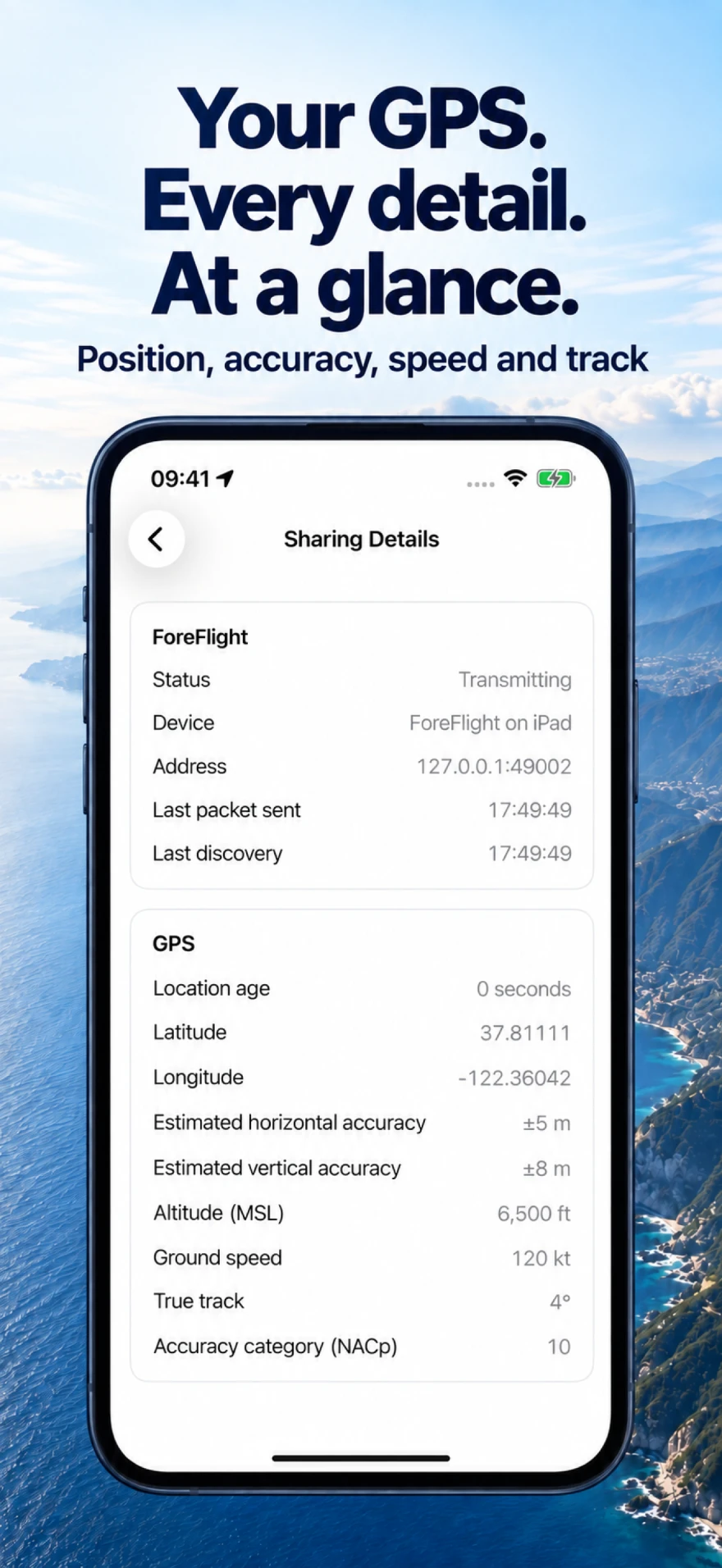
Your Wi-Fi-only iPad has the screen. Your iPhone has the GPS. AviaGPS brings them together in ForeFlight.
Keep a familiar setup, lighten your flight bag, and give yourself more choice when it’s time to upgrade.
ForeFlight on an iPad without GPSThe iPad you already own
A Wi-Fi-only iPad doesn’t have built-in GPS. AviaGPS shares your iPhone’s position with ForeFlight, so a compatible iPad you already enjoy can stay part of your setup.
One fewer thing to pack
No separate Bluetooth GPS receiver to buy, keep charged, or remember to bring. Use the iPhone you already carry as your position source, connected over local Wi-Fi.
Your next iPad
Buying an iPad? Choose a lower-priced Wi-Fi model and share position from your iPhone, instead of paying extra for cellular hardware solely to get built-in GPS.
Your next iPhone
Move to a compatible iPhone with better GPS capabilities, and your iPad can benefit too. AviaGPS uses the location that phone provides; accuracy depends on the model and reception.
AviaGPS Pro and ForeFlight are separate purchases. Hardware savings vary by iPad model and market. Check your setup before choosing.
The connection, explained
One app on your iPhone.
A position source for your iPad.
Set up AviaGPS on your iPhone. Allow precise location and local network access, and activate AviaGPS Pro to enable sharing.
Join the same local Wi-Fi network and open ForeFlight on your iPad. AviaGPS discovers the receiving device.
In ForeFlight, open More → Devices → AviaGPS and enable Use As GPS. Then check the position on Maps.
Know your setup
Here’s what you need to get connected.
One app on your iPhone. ForeFlight on your iPad.
No internet connection is needed for the position feed. Buying or restoring Pro needs internet.
Tested on devices ForeFlight received AviaGPS over shared Wi-Fi and the iPhone’s Personal Hotspot, without an internet connection, and with the iPhone locked. See the setup screenshots.
A few things to know
The GPS questions,
without the guesswork.
That’s the setup AviaGPS is built for. A compatible Wi-Fi-only iPad can run ForeFlight and receive position from your iPhone through AviaGPS. It doesn’t need cellular hardware or a cellular plan of its own.
If you already own a compatible iPhone and Wi-Fi iPad, you can use them together without buying a separate GPS receiver or replacing the iPad just to add GPS. For a new iPad, compare the Wi-Fi and Wi-Fi + Cellular prices for the same model and storage.
The price difference varies by model, market, and retailer. Include AviaGPS Pro and your separate ForeFlight purchase when comparing the total cost. Compare Apple’s iPad options ↗
AviaGPS sends position over a shared local Wi-Fi network. No Bluetooth pairing or cable between devices is needed. Personal Hotspot alone does not provide this GPS feed; AviaGPS sends the position to ForeFlight.
Use shared Wi-Fi or connect the iPad to the iPhone’s Personal Hotspot, so no cockpit Wi-Fi network is needed. The position feed stays on that local connection and doesn’t need internet; buying or restoring Pro does. See the connection guide.
Yes. An active session keeps sharing while the iPhone is locked or you use another app. Force-quitting AviaGPS stops sharing. To save battery, sharing also stops if AviaGPS is in the background and ForeFlight is not detected for 60 minutes. Find help with interrupted sharing.
AviaGPS is available on the App Store. GPS sharing requires AviaGPS Pro. ForeFlight is sold separately.
GPS guides for iPad pilots
Straight answers, written by a pilot
and checked against Apple and ForeFlight documentation.

Available for iPhone
Keep your iPad. Carry your iPhone. Connect with AviaGPS.
Download on the App StoreAviaGPS Pro is required for GPS sharing. ForeFlight is sold separately.